Find your threshold
Watch live microphone levels while you move the slider or drag the threshold line. Metering does not save audio until you tap Start listening.

A sound-activated recorder with a pocket-instrument feel. Set your threshold, start listening, and keep the moments that rise above the quiet.
Version 3.0 preview · iPhone & iPad · iOS 18+
The redesigned version 3.0 is coming soon. Features and screenshots on this page preview the update; the App Store listing may show the earlier version.
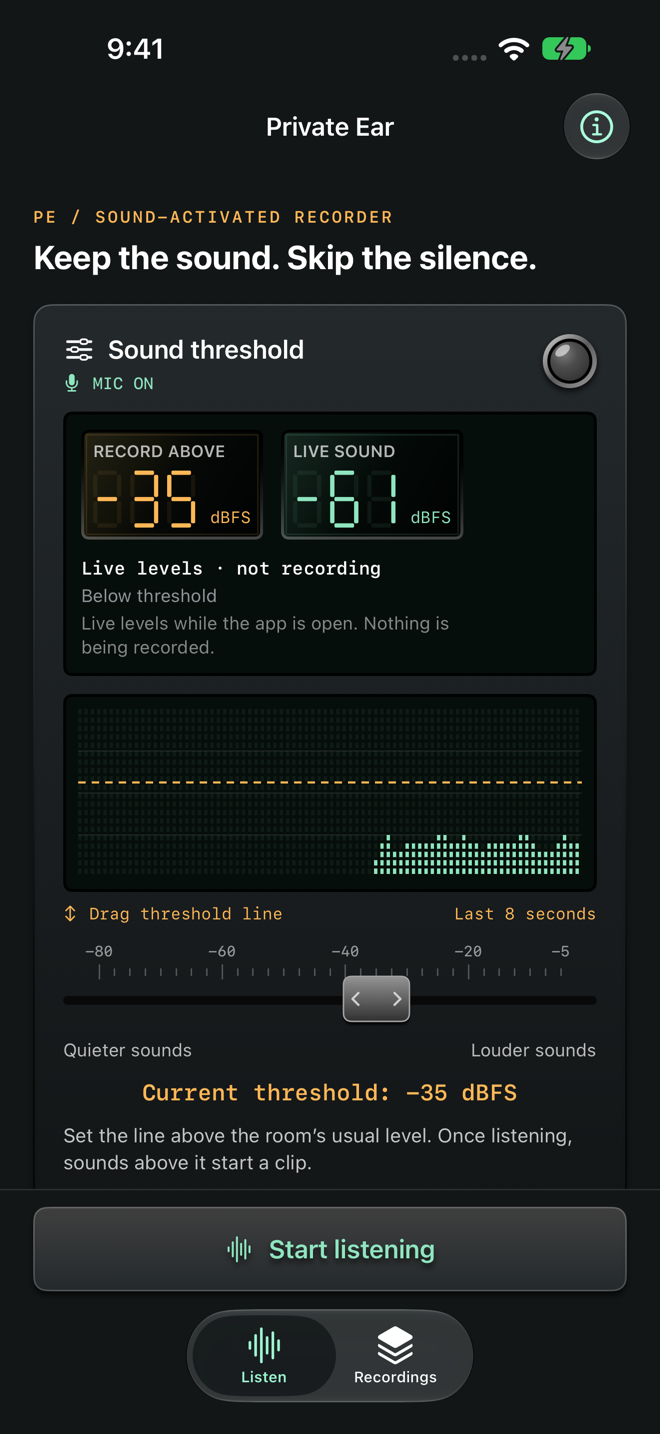
A little control over what you capture. A simpler way to hear it again.
Watch live microphone levels while you move the slider or drag the threshold line. Metering does not save audio until you tap Start listening.
Choose a silence delay to keep a clip open through a short pause, or end it immediately when sound drops below the threshold. Continuous sound is split into clips of up to 10 minutes.
Browse clips grouped by recording session. Play a session in order, skipping the gaps, or choose one clip. Rename, share as WAV, or delete recordings from your library.
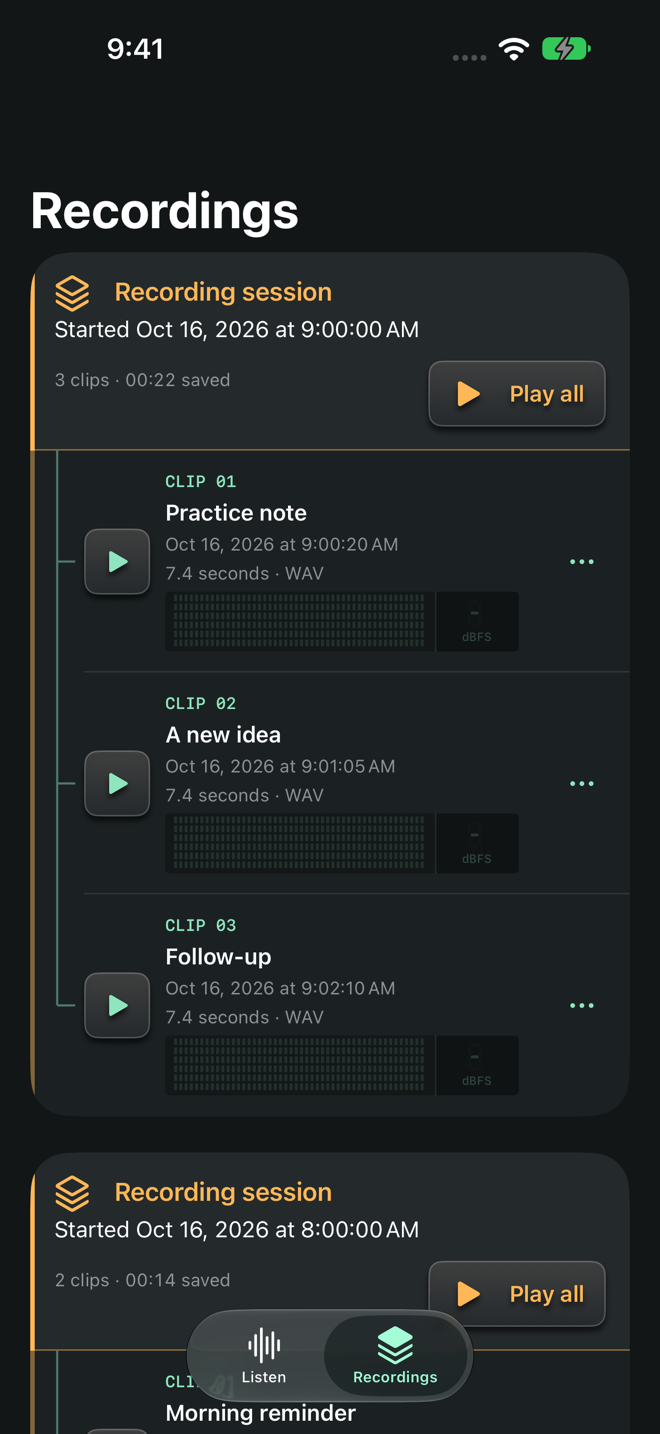
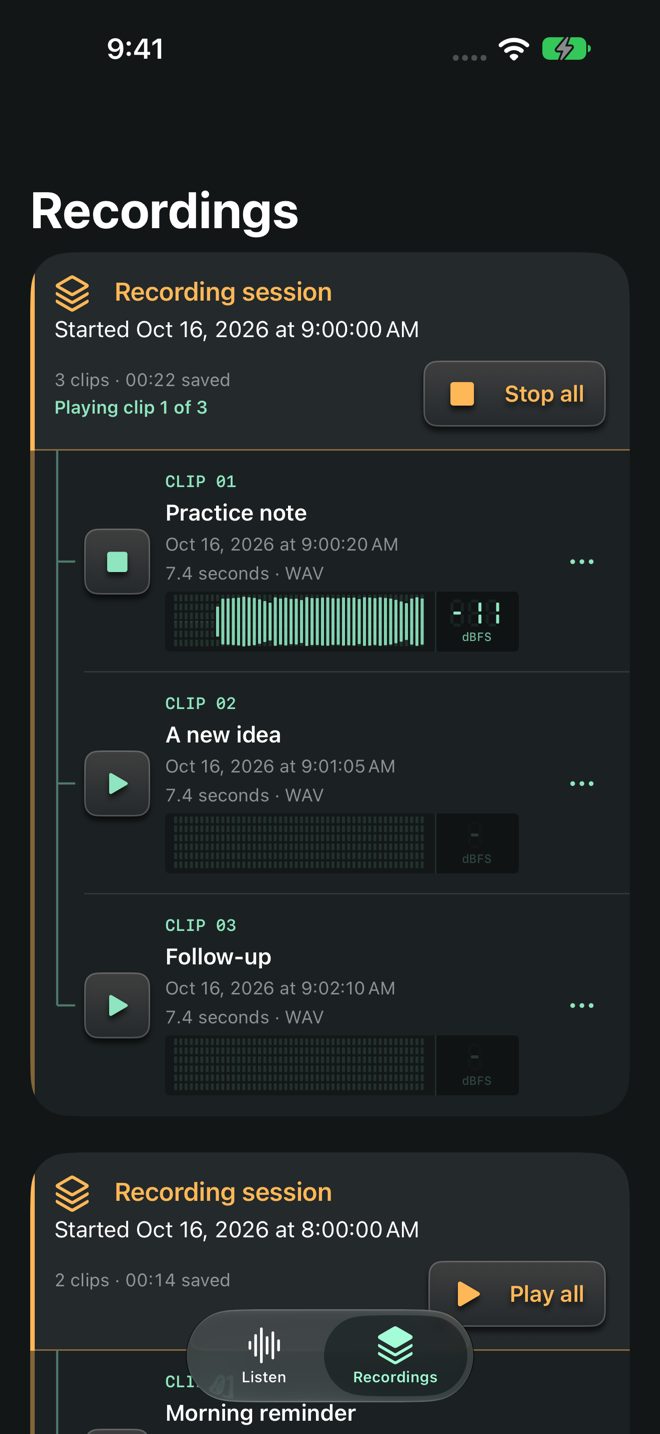
Segmented displays, a physical-style slider, and live playback levels give Private Ear the feel of a dedicated recording device.
After you start listening, it can continue with your device locked or while you use another app. Microphone use remains indicated. Calls, microphone changes, and other audio interruptions can stop listening.
Audio and settings stay on your device. There are no accounts, ads, analytics, or tracking. Sharing is your choice; device backups may include recordings.
Readable recordings from the original app are imported automatically on the same device.
Version 3.0 replaces the old in-app password lock with your device’s security. Use your device passcode and iOS app locking to control access. WAV sharing replaces the former desktop transfer client.
Questions about Private Ear? Tell us your device model, operating system version, and what’s happening.
Get app supportLearn what stays on your device and what happens when you choose to share information.
Privacy policy Email support