Get a feel for the field
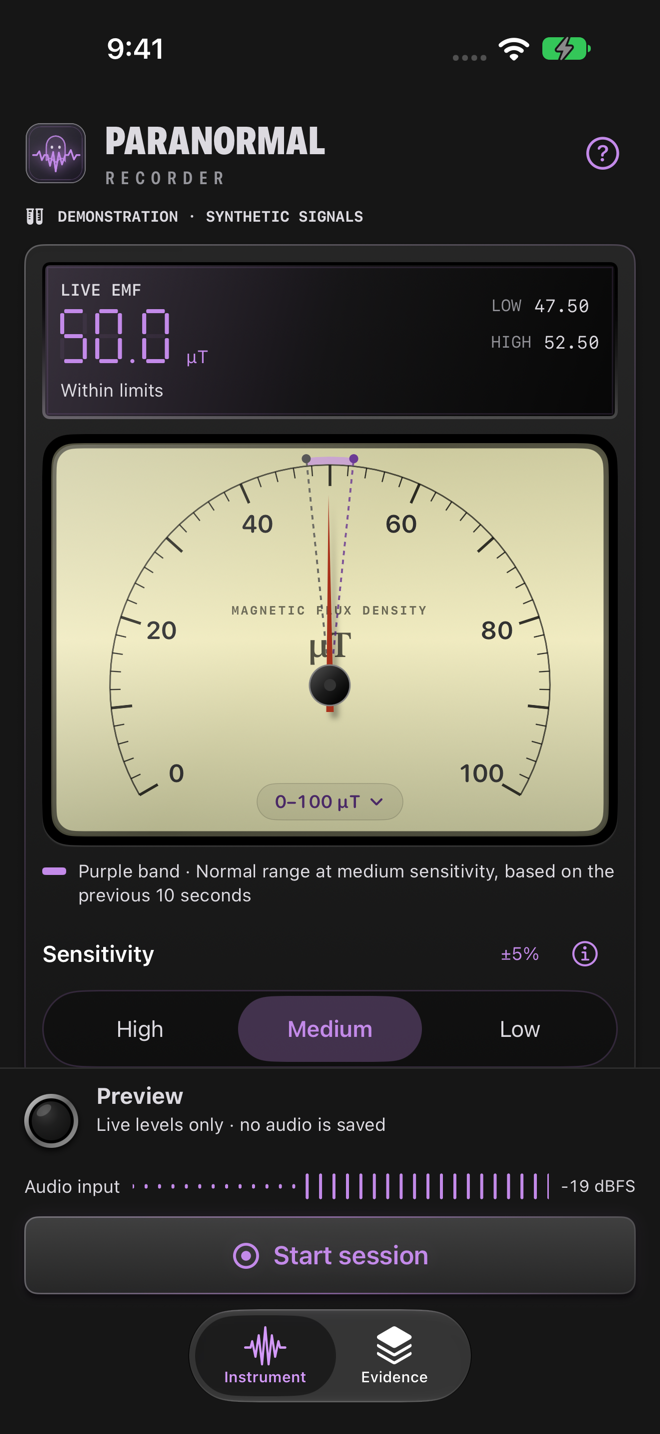
Watch calibrated magnetic-field strength in microteslas on an analog dial and digital display. Choose a dial range and sensitivity; the shaded normal range follows the preceding 10 seconds of readings.
A field instrument with a listening side. Capture audio when the magnetic field changes, then explore your recordings with synchronized graphs and a journal of your own observations.
Version 5.0 preview · iPhone & iPad · iOS 18+
The rebuilt version 5.0 is coming soon. Features and screenshots on this page preview the update; the App Store listing may show the earlier version.
A magnetic-field instrument and an audio journal, together in your pocket.
Watch calibrated magnetic-field strength in microteslas on an analog dial and digital display. Choose a dial range and sensitivity; the shaded normal range follows the preceding 10 seconds of readings.
Tap Start session to arm capture. A magnetic reading outside the normal range starts a 10-second audio clip. Once the clip ends and fresh readings return to normal, detection rearms for the next event.
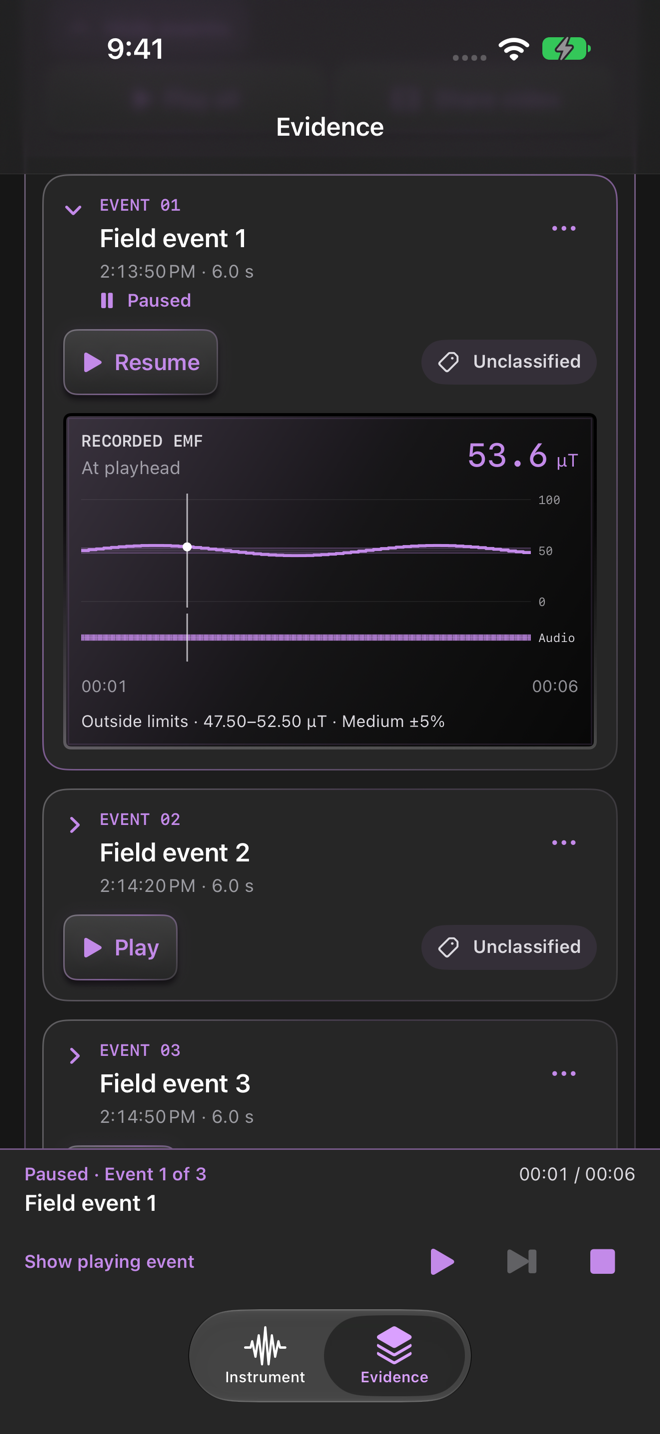
Play one event or an entire session. Saved magnetic-field readings and audio waveforms follow playback together. Rename events and add optional notes or classifications to make the journal your own.
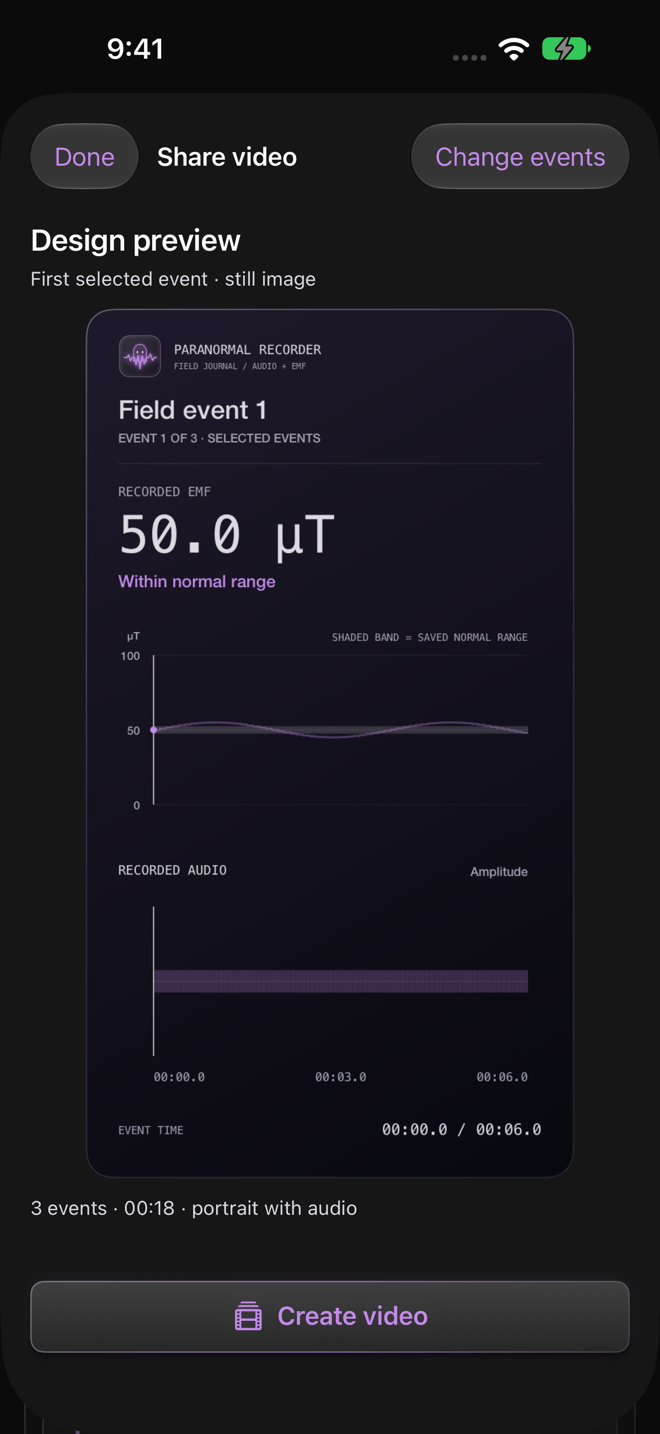
Share an original WAV recording, or create a video combining selected events with their audio, magnetic-field history, and waveform. Review the video, then choose where to share it.
Your journal notes stay out of exported videos. Audio, readings, notes, and settings are stored on your device, with no accounts, ads, analytics, or cloud service. Device backups may include your recordings.
Screenshots show demonstration recordings from the actual version 5.0 app.
Magnetic-field changes trigger recordings. Sound volume does not.
Allow microphone access and use a device with calibrated magnetic-field sensing. Live preview shows levels without saving audio. Keep the app open during a session; leaving it or locking the screen stops capture and saves the current partial clip.
Returning to Paranormal Recorder? Readable recordings from the original app are imported on the same device. Older audio without sensor metadata is clearly marked as having no EMF history.
Questions about Paranormal Recorder? Tell us your device model, operating system version, and what’s happening.
Get app supportLearn how microphone and sensor access, local storage, backups, and sharing work.
Privacy policy Email support